In workshops we mapped the path from ad to lease inquiry
We started with workshops with the ClickLease team. Together we worked out the site structure and information architecture: the order in which a visitor gets to know the offer, and the places where they can leave an inquiry. Everything that followed was built on those decisions:
- Structure and user journey
We planned the pages so they present the offer clearly and lead to an inquiry. Every form of financing, from used car leasing to construction machinery, got its own in-depth page, which is where someone searching Google for exactly that kind of financing lands. - Features for campaigns and SEO
We planned features that bring in traffic from Google and turn visits into inquiries: a lease calculator, an offer comparison tool, a blog with SEO content and detailed forms. The contact form collects the data needed for a quote at the very first inquiry, such as vehicle type, financing term and annual mileage limit, so the advisor has it before the first conversation. - Analysis of the vehicle suppliers' APIs
We reviewed the APIs of the two car suppliers the site was going to connect to. Based on that, we designed a backend that merges their data and serves it to the site in a single format through our own API. - Launch and analytics
We built the site on Gatsby and headless WordPress and launched it on a LiteSpeed server with Cloudflare as the CDN and security layer. We also set up GDPR-compliant analytics that measures conversions and user behavior.
Supplier API integration: one car database, refreshed every night
The WordPress backend pulls data from the suppliers' APIs and normalizes it into a common structure. The site uses only our API, so switching a supplier only touches the backend, while the search and the car pages keep working unchanged.
One of the bigger challenges was keeping the listings in sync. We solved it with a nightly process that updates the database of available cars every 24 hours, so the offer on the site keeps up with what the suppliers actually have. The car pages are generated from this database: every car has its own page with specifications, equipment and an "Ask about this vehicle" button.
The search filters cars by monthly installment
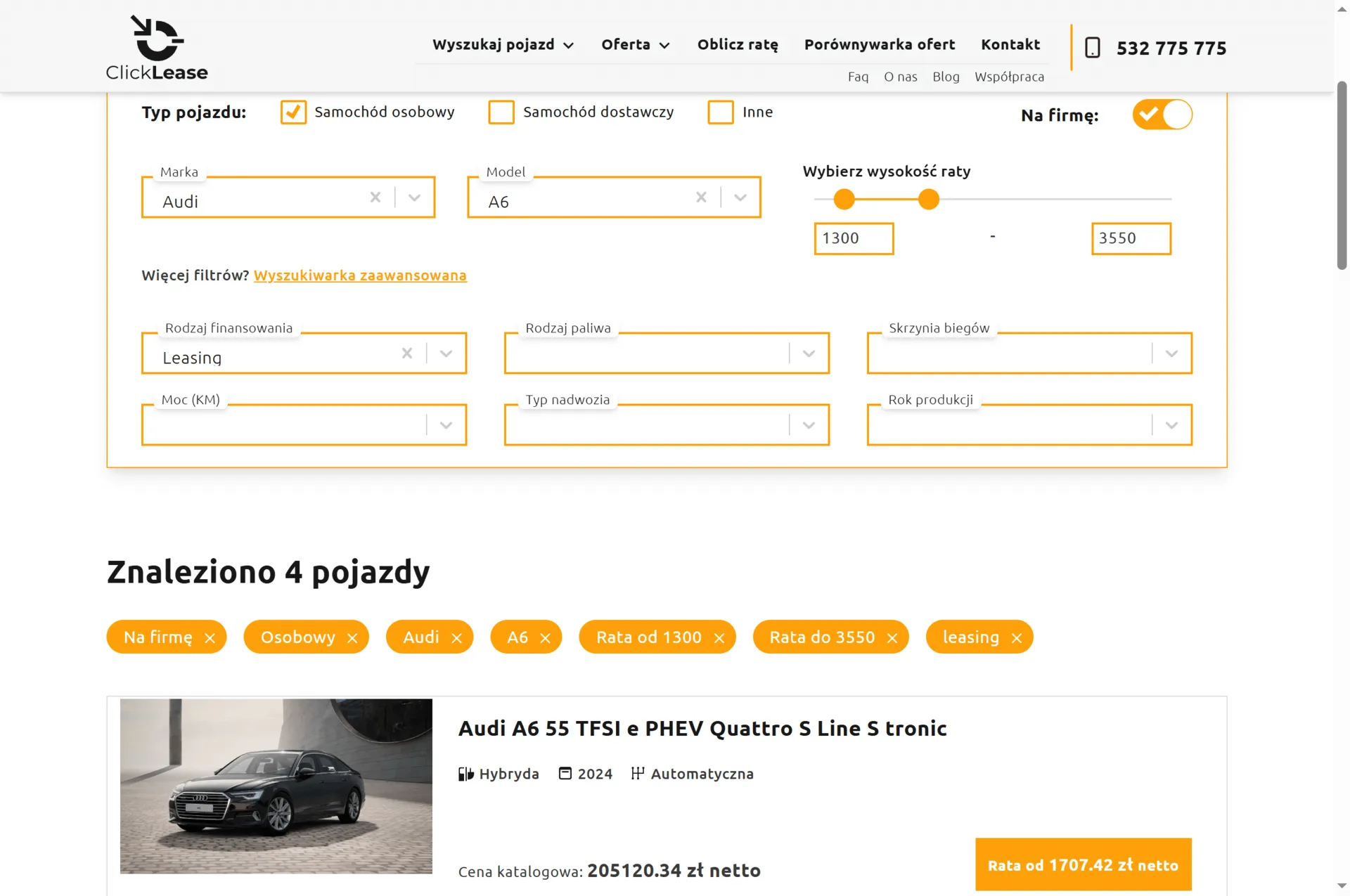
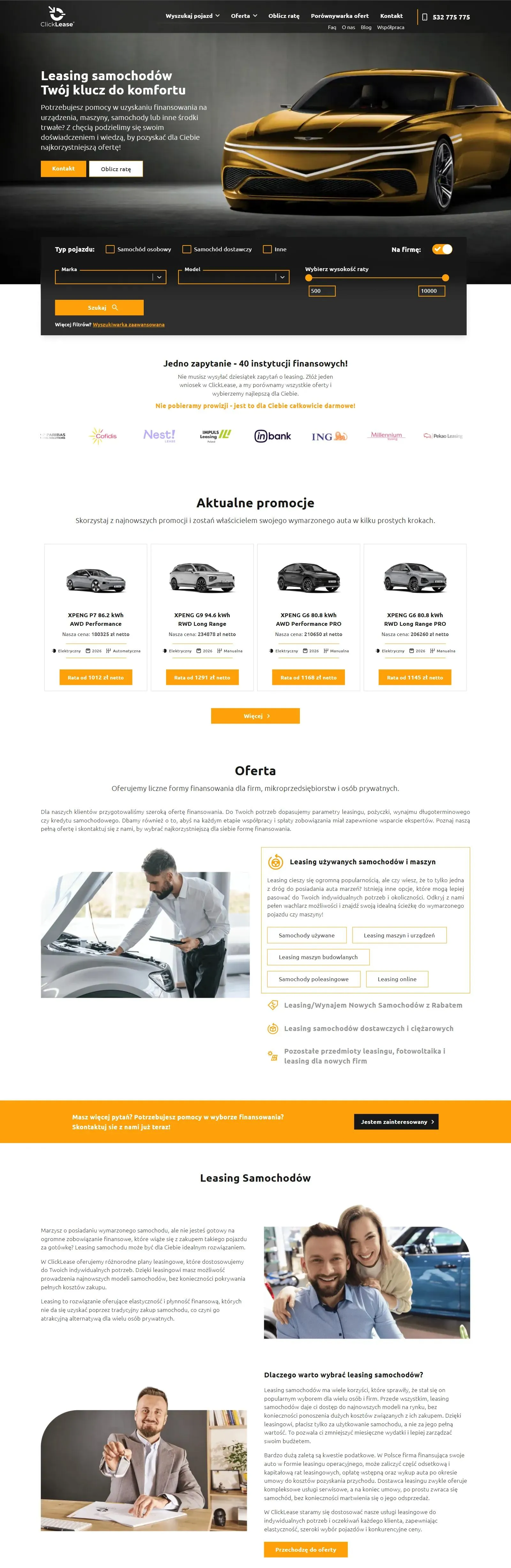
On the first screen of the home page, the visitor picks the vehicle type, make, model and a monthly installment range, and uses the "For business" toggle to say whether they are looking for business financing. The advanced version adds filters for financing type, fuel, gearbox, power, body type and model year.
In the results, every car shows its list price and the net installment the financing starts from. The customer knows whether the car fits their budget before they start talking to an advisor.
The online lease calculator works out the installment without a call to an advisor
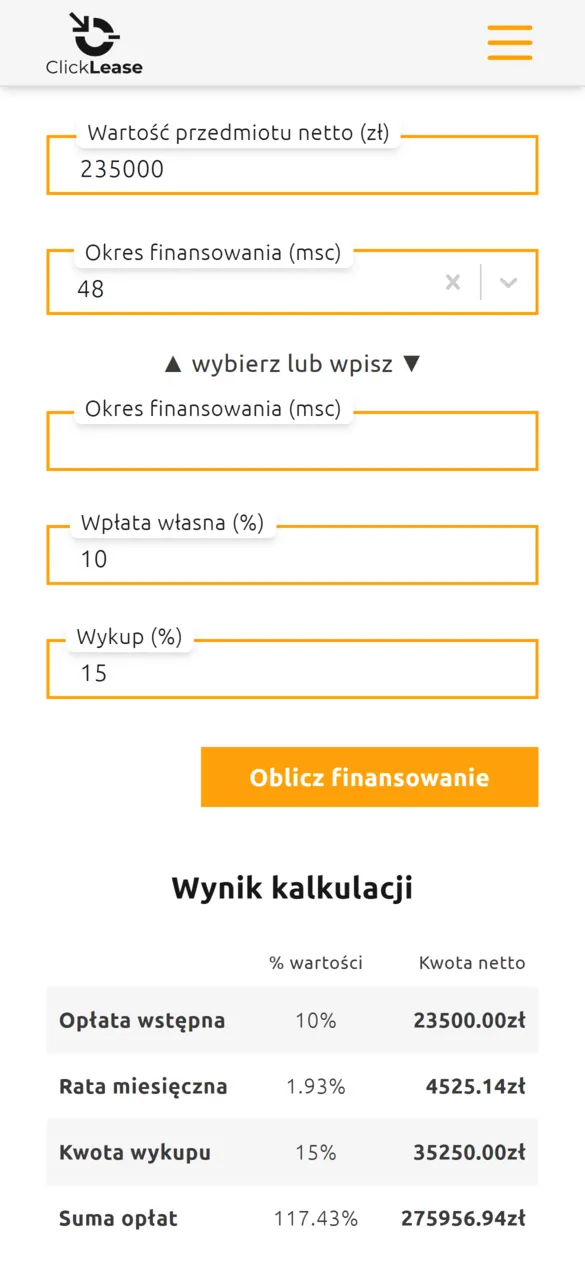
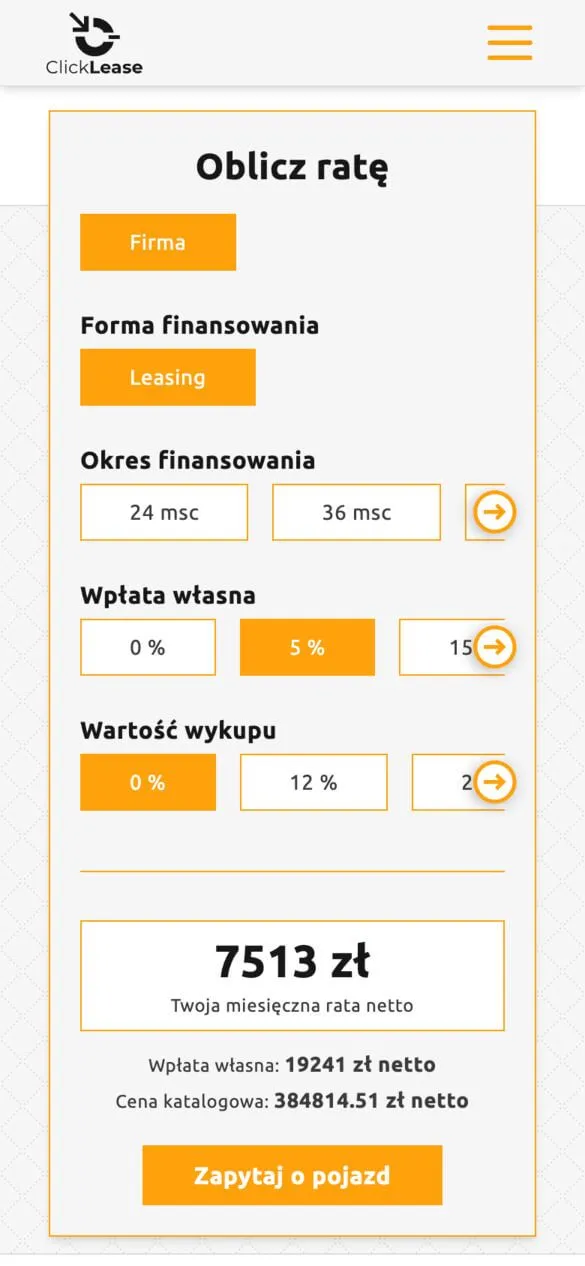
On the "Calculate your installment" page, the customer enters the asset value, financing term, down payment and buyout. The calculator shows the initial payment, the monthly installment, the buyout amount and the total cost, both in PLN and as a percentage of the asset value.
We embedded a second calculator on the car page. The customer switches the term, down payment and buyout, and the monthly net installment recalculates instantly. Under the result sits an "Ask about this vehicle" button. Thanks to it, the advisor receives an inquiry about a specific car from someone who already knows the approximate cost.
Offer comparison: the customer uploads another company's offer, the advisor finds a better one
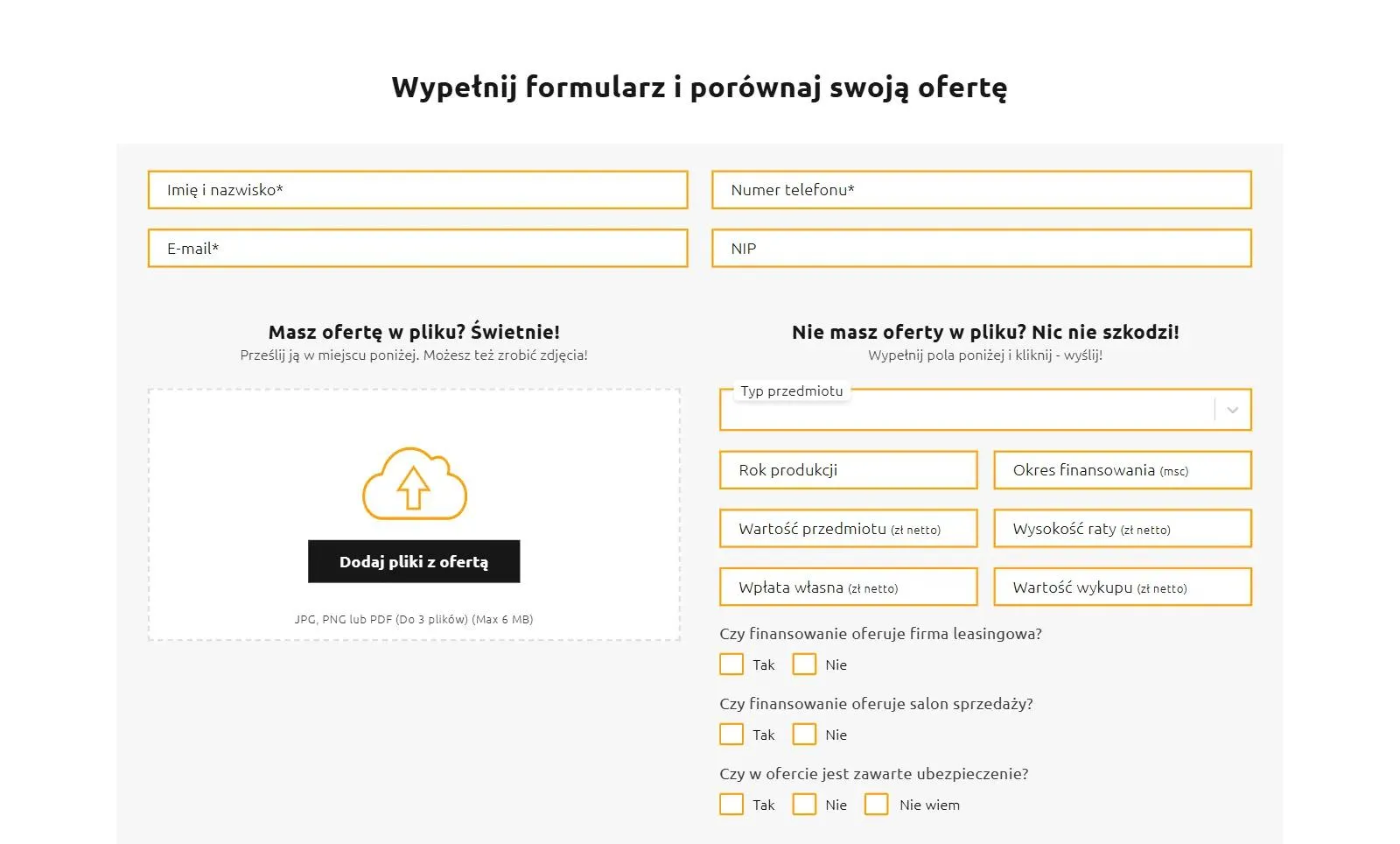
The comparison tool is for someone who already has a lease offer from another company or a dealership. They upload it as a PDF or a photo (up to three files) or enter the parameters by hand: the asset value, the installment, the down payment and the buyout. The form also asks whether the financing comes from a leasing company or a dealership, and whether the offer includes insurance.
ClickLease advisors compare those terms with their partners' offers and send back the best proposals by email or phone. This way the site collects inquiries from people who are already choosing between offers.
The branch map leads to the nearest advisor
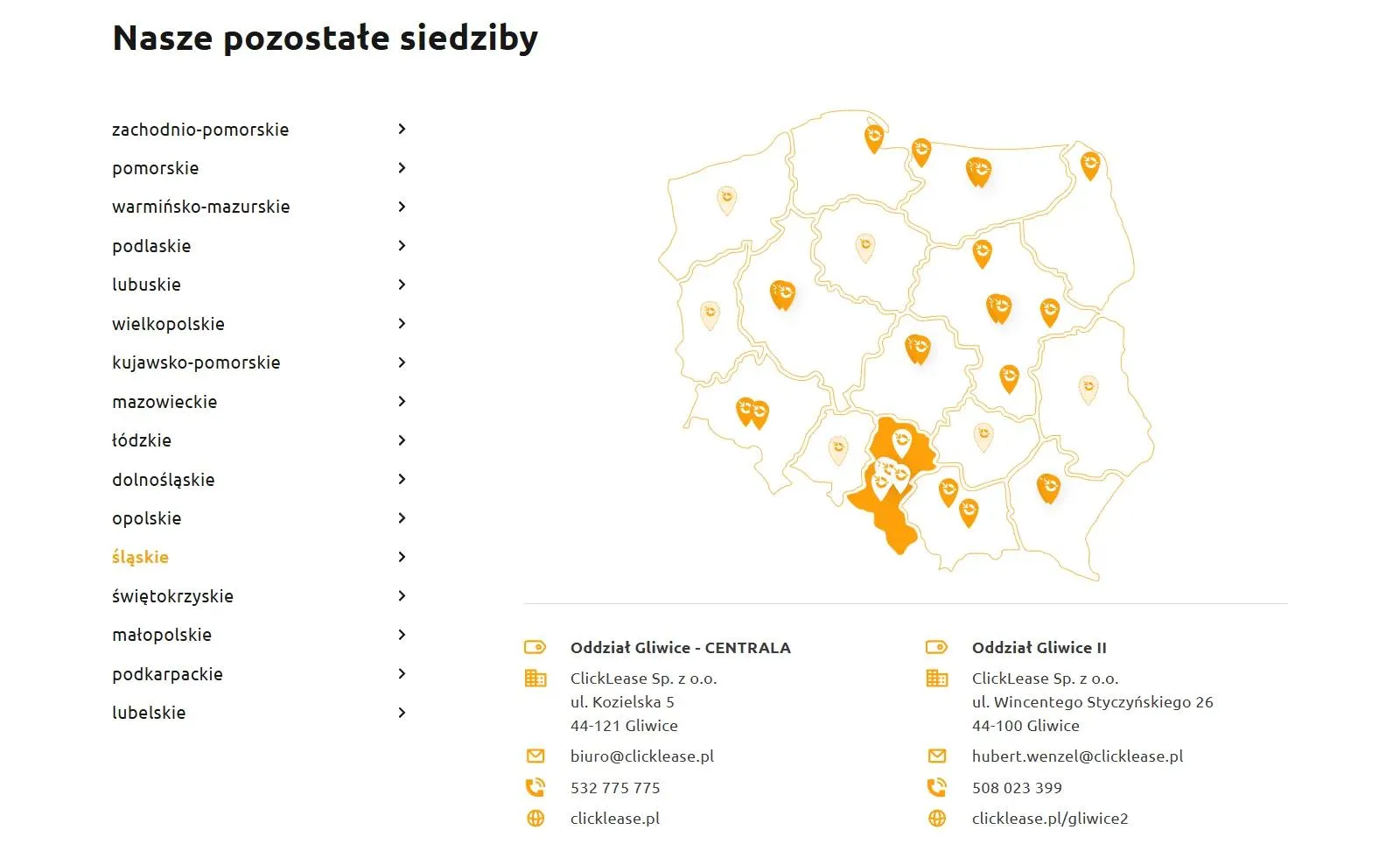
The contact page has an interactive map of Poland with a list of regions. After picking a region, the customer sees the addresses, phone numbers and emails of the branches in their area. The map gives contact details, but some branches also have their own pages with a local offer. That is a separate project, which we describe in its own case study: pages for ClickLease partner branches.